
Use your full PC from your phone.
Trackpad, keyboard, voice macros, OCR scanner, and snippet manager — all over your local Wi-Fi. No internet round-trip. No data collection. Privacy by design.
Windows server is required and free. Phone app handles control + Pro features. Pro trial is 3 days, billed by Google Play.
c238da68….
Phone Mouse
v0.2.2
Everything you need.
Nothing you don’t.
Six focused tools that work together — each one designed to disappear into your workflow.
Lives in your tray. Stays out of the way.
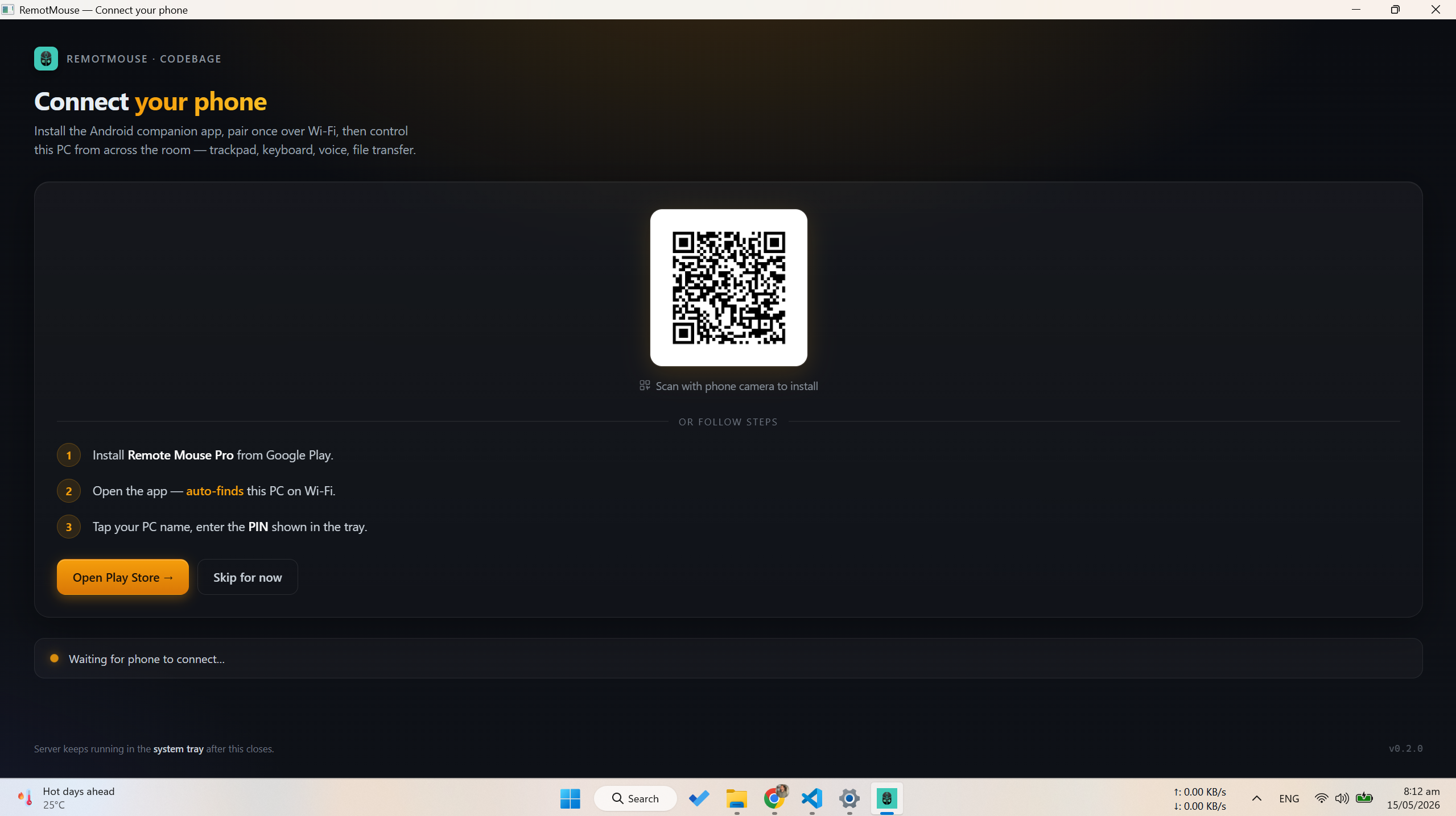
First launch opens a small companion window — a QR for the Android app, install steps, and a live pair-PIN that lights up the moment your phone touches the server. Auto-closes 3 seconds after the first connect. After that, just a tray icon.
- Tray-resident. Near-zero CPU at idle.
- Auto-discovery on your LAN — phone finds the PC by itself.
- Pair-by-PIN once. No accounts, no cloud, no telemetry.
- All input goes through native Windows APIs.
How it works
Install the PC server
Run the Windows installer on your PC. The server lives in the system tray and broadcasts itself on your Wi-Fi network.
Install the phone app
Get Phone Mouse from the Google Play Store. Open it on a phone that shares the same Wi-Fi network as your PC.
Pair via PIN
Tap your PC in the discovery list, enter the 6-digit PIN shown by the tray icon, and you’re paired. The app remembers your PC after that.
Pricing
Free forever for the basics. Pro unlocks the power tools.
Subscriptions billed by Google Play. Cancel anytime in your Play Store subscriptions.